
Guide · 1 November 2026 · 5 min read
Christmas opening hours: update website, Google and social
If your christmas opening hours change, update them in one go on your website, Google Business Profile and social profiles. That way, customers do not have to guess whether you are open, closed, or only running reduced hours. We build websites and automations for UK small businesses, and this is one of the simplest ways to avoid confusion in December.
Where to update christmas opening hours first
Start with the places customers check most often. For many local businesses, that means your website homepage, your Google Business Profile, and your main social page. Google’s help pages explain that business details and special hours should be kept up to date in your profile, while the gov.uk bank holidays page is the safest place to confirm public holiday dates before you publish anything on your site.
If you only do one thing today, make sure the same wording appears everywhere. Use the same dates, the same opening times, and the same message if you are closing early on Christmas Eve or New Year’s Eve. If you need a hand with the website side, our Your Website, Done For You package can get your site updated quickly, and you can also see the rest of our offers.
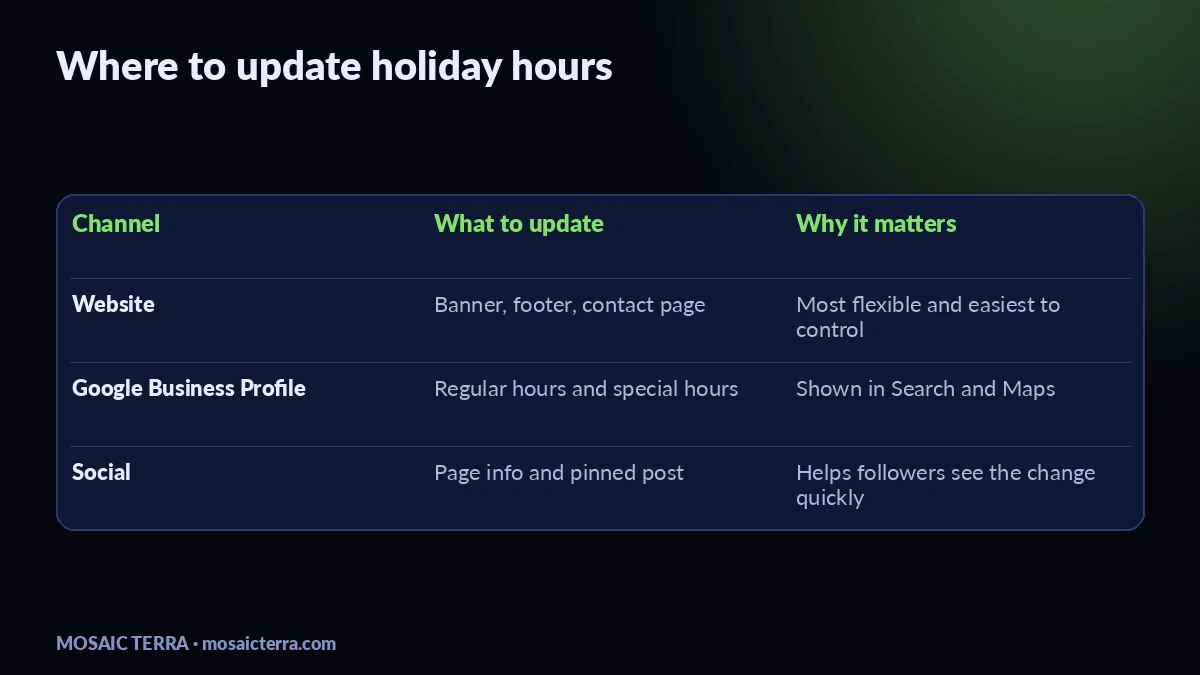
| Channel | What to change | Best use |
|---|---|---|
| Website | Homepage banner, footer, contact page, opening hours block | Make the latest hours impossible to miss |
| Google Business Profile | Regular hours and special hours | Show the hours customers see in search and Maps |
| Social profiles | Page info, pinned post, story highlight or recent post | Catch people who arrive from social first |
How to update your website, Google and social in one go
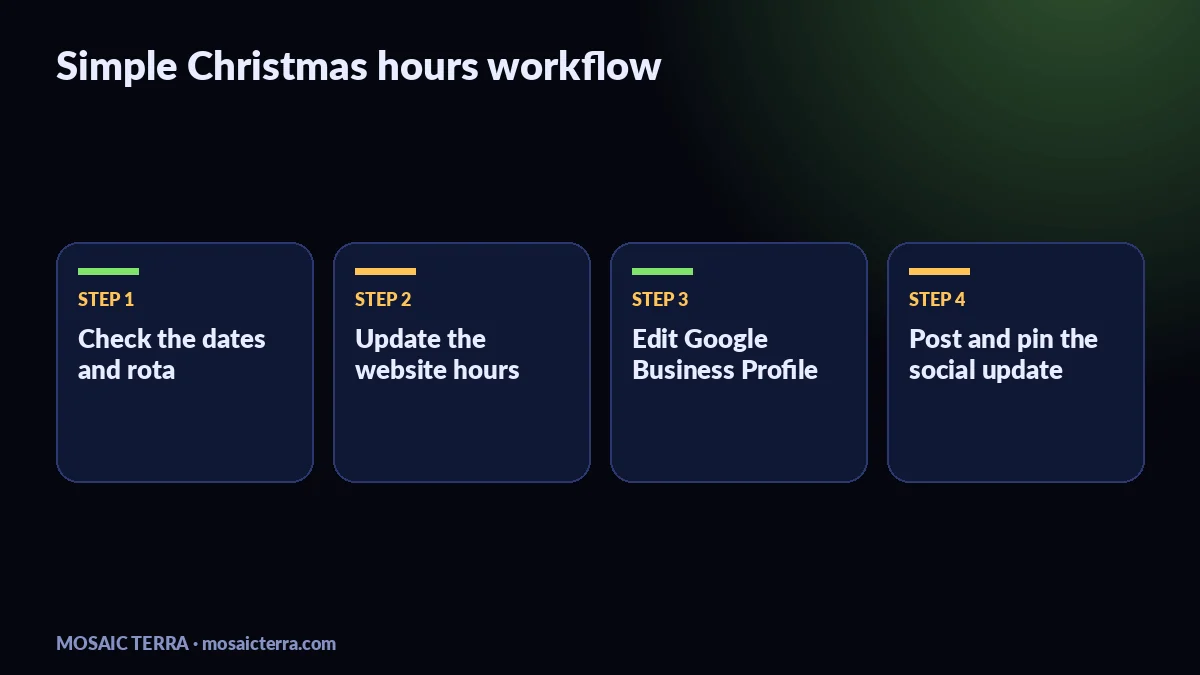
- Check the dates first. Look at your rota, delivery windows and any bank holidays you plan to observe. If you are unsure about holiday dates, use the official gov.uk bank holidays page before you publish.
- Update your website. Put the new hours where customers will actually see them: header, footer, contact page and any booking or enquiry page. If your website is built well, this should be a quick edit rather than a full redesign. If it is not, our quote page is the easiest way to ask us for help.
- Edit Google Business Profile. In Google, set regular hours and special hours so Search and Maps show the right times. Google’s own guidance in the Google Business Profile Help Centre explains how to edit business information.
- Post the same message on social. A short post works best: what is changing, from when, and what customers should do instead. If you have a Facebook or Instagram audience, pin the post for the week so it stays visible.
- Check one more time on mobile. Open your website on a phone and confirm the hours are easy to read without zooming in. That matters because most customers will check from their mobile while they are out and about.
Keep the wording simple
Plain language usually works best. For example: “We are open 9am to 2pm on Christmas Eve, closed on Christmas Day, and back to normal on 27 December.” Avoid long paragraphs, mixed messages, or vague phrases like “limited hours” unless you also say what those hours are.
Use the same message everywhere
When your website says one thing and Google says another, customers assume the business is closed or unreliable. We often see this after owners change one channel and forget the others. A simple checklist, or an automation built in n8n, can keep the message aligned across your channels without extra admin.
Common mistakes with christmas opening hours
- Updating only the website. People may still find you through Google Business Profile first.
- Forgetting special hours. Regular hours alone can be misleading around Christmas, Boxing Day and New Year.
- Using a social post with no pinned update. A post disappears fast in a busy feed.
- Leaving old hours in the footer. Customers often scroll there when they want reassurance.
- Writing a message that is too vague. Clear dates and times reduce back-and-forth messages.
If you want this done once and done properly, we can update your site and help you tidy the rest. Start with Your Website, Done For You, or browse our offers if you want a wider setup for the season. If your team also needs better messaging handling over the break, our guide to answer customer messages automatically over Christmas shows another useful next step.
When to ask for help
Ask for help if your website is hard to edit, if Google hours keep getting out of sync, or if your team is too busy to update everything before the Christmas rush. If you already have a few moving parts, a joined-up setup saves time and reduces mistakes. You may also find our guide to Google Business Profile in 15 minutes useful, especially if you want to keep search and Maps up to date alongside your website.
If you want a second opinion on your festive setup, we can review the website, Google profile and social wording together. The aim is simple: one message, three places, no confusion.
Quick checklist before you publish
- Confirm your Christmas and New Year dates.
- Update the website homepage, footer and contact page.
- Edit Google Business Profile regular and special hours.
- Post the same update on your main social channel.
- Check the final version on a phone.
Prefer it done for you?
Websites from £449 one-off, AI agents from £89/month, or your complete AI world from £899.
Frequently asked questions
Should I change my opening hours on my website first?
Yes. Your website is the easiest place to set the full message, then copy the same details into Google and social.
Do I need special hours on Google Business Profile?
If your festive hours differ from normal hours, yes. Special hours help Google show the right times in Search and Maps.
What if I only close for one day?
Still update every channel. Even a one-day change can cause missed visits if customers see old hours.
Can I just use one social post?
You can, but pin it or add it to a highlight so people still see it after the post drops down the feed.
Sources
Prices on this page are Mosaic Terra's own prices in GBP. Third-party information was checked on 1 November 2026; always confirm current details on the official pages.