
Guide · 29 October 2026 · 5 min read
How to answer customer messages automatically over Christmas without working every day
If you want to answer customer messages automatically over Christmas, the safest approach is to combine a clear auto-reply, a short FAQ, and an AI agent that drafts answers for you to approve. That way, customers get a quick response, routine questions are handled, and you only step in when a message really needs a human decision. It is a practical setup for a small UK business, not a magic button.
What this setup does, and what it does not do
The goal is to keep customers informed without pretending a robot can solve every problem. A good Christmas setup gives people three things: confirmation that their message was received, a realistic time frame for a reply, and answers to the most common questions. It should also be easy to switch off or update when your opening hours change.
For simple enquiries, a basic out-of-office reply may be enough. Google’s guidance on vacation responder in Gmail shows how an automatic reply can tell people when you are away. If your inbox is busier, use filters and labels too; Google’s help on creating rules in Gmail explains how to sort incoming mail before you even open it.
What this setup does not do is replace you completely. Some messages need a quote, a complaint response, a booking change or a judgement call. That is why we like an AI draft step: the system prepares a reply, and you approve or edit it before it goes out.
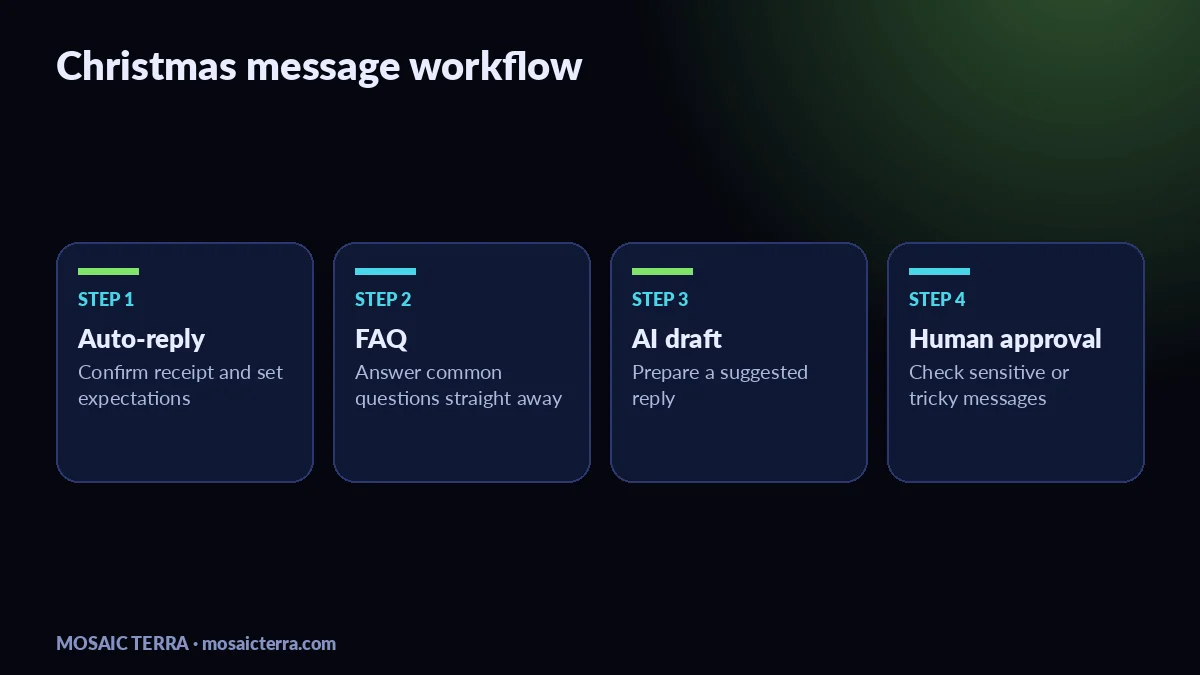
Answer customer messages automatically: the Christmas workflow
The easiest workflow is simple enough to run from a phone, but structured enough to save time.
- Set the expectation first. Add an automatic reply that says you are open again on a specific date, or that replies may be slower than usual.
- Capture the common questions. Most small businesses get the same messages again and again: opening times, prices, delivery, booking changes and stock availability.
- Send those into a helper. An AI agent can draft replies based on your approved wording, so you are not typing the same thing ten times.
- Approve before sending. Keep the final decision with a person, especially for complaints, billing questions, legal issues or anything sensitive.
- Review once a day. Even ten minutes is enough to clear the important items and leave the rest to automation.
If you want to see the kind of system we build, our guide to AI agents for small businesses explains what they do and how they fit into a normal workflow. If your business also needs message routing, our AI receptionist for small businesses guide is a useful next read.
Options, costs and when each one makes sense
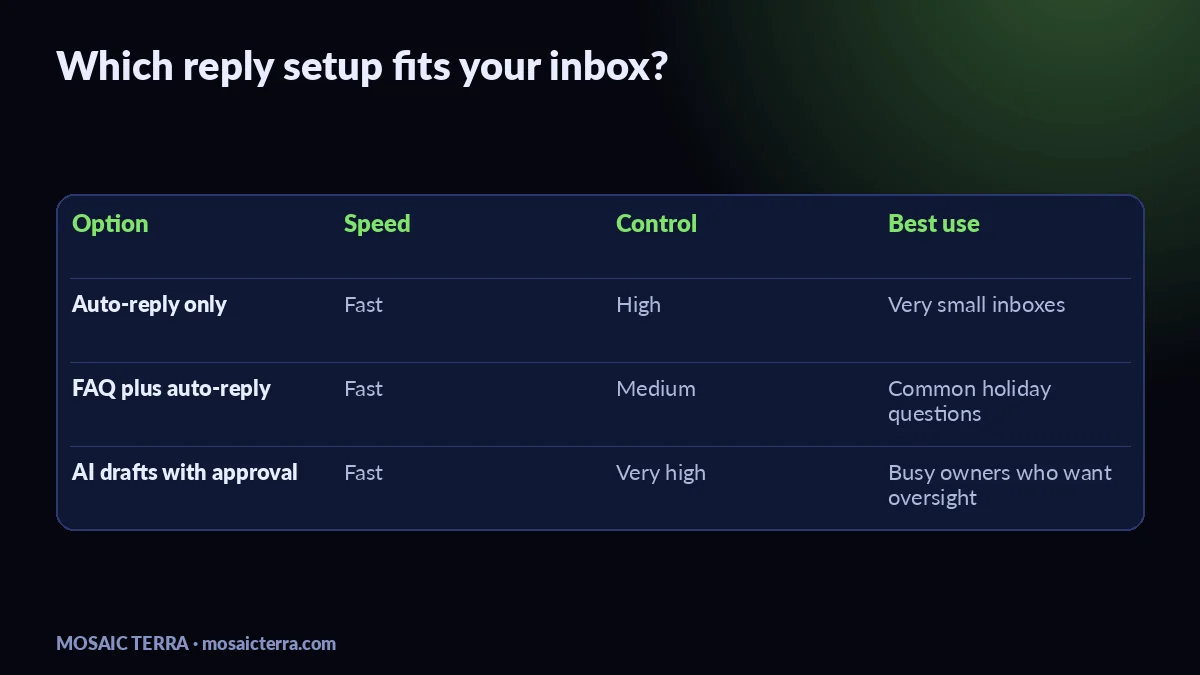
There is no single right answer. The best choice depends on how many enquiries you get, how urgent they are, and how much control you want over replies. Here is a simple comparison.
| Option | What it does | Best for | Trade-off |
|---|---|---|---|
| Auto-reply only | Sends a standard message straight away | Very small inboxes | Good for acknowledgement, not for solving questions |
| FAQ plus auto-reply | Points customers to answers and hours | Shops, salons, trades, cafés | Still needs a person to check odd cases |
| AI drafts with approval | Writes suggested replies for you to send | Busy owners who want control | Needs setup and a few clear rules |
For a done-with-you setup, our 1 AI agent plan is the simplest place to start. If you want to compare the rest of our services, see all offers. If you are not sure which system fits your inbox, you can also request a quote.
Our starting prices are straightforward: 1 agent is £89/month, 5 agents are £179/month, and 10 agents are £269/month. We also offer build packages if you want a broader system, but for Christmas messaging many small businesses only need the first step. Check the live package page before you decide, because pricing can change.
How to set it up without overcomplicating it
We usually keep the first version lean. Start with a short FAQ list, a clear tone of voice, and a few example replies. Then add rules for the messages you do not want the AI to answer automatically. That might include legal complaints, payment disputes, sensitive personal data, or anything that should go to a named person.
It also helps to make your reply library seasonal. Over Christmas, customers ask about last order dates, opening hours, stock, deliveries and aftercare. If you already have website FAQs, reuse them instead of writing new content from scratch. That keeps the wording consistent across email, contact forms and your site.
We use n8n in our own automation work, so we know the value of keeping the flow simple. Our n8n automations for small businesses guide shows how automations can link forms, inboxes and task steps without turning your business into a tangle of tools.
Common mistakes to avoid
- Leaving the auto-reply too vague. Say when you will respond, not just that you are busy.
- Letting AI reply to everything. Keep human approval for anything sensitive or uncertain.
- Writing long messages. Customers on phones want a short, clear answer.
- Forgetting to update opening hours. Make sure your website, Google Business Profile and inbox message all match.
- Using different wording everywhere. One consistent FAQ saves time and avoids confusion.
If your business is also updating its local listings, our Google Business Profile guide is a useful companion piece. And if you are planning a wider seasonal push, our Christmas marketing ideas for UK small businesses article can help you line up your messaging.
When to get help
You should ask for help if your inbox already feels unmanageable, if you need a system that works across more than one channel, or if you want replies drafted in a consistent brand voice. It is also worth getting support if your team is small and nobody has time to manage rules, labels and templates during the Christmas rush.
Our view is simple: use automation where it saves time, keep human approval where judgement matters, and build only what you will actually use. If you want us to set up a lightweight system that helps you answer customer messages automatically without living in your inbox, the 1 AI agent plan is the quickest starting point.
Note: If you use customer data in any automated reply workflow, check your own privacy and retention rules first. The ICO’s guidance on UK GDPR guidance for organisations is a sensible place to review before you switch on anything new.
Prefer it done for you?
Websites from £449 one-off, AI agents from £89/month, or your complete AI world from £899.
Frequently asked questions
Can I use an auto-reply and still feel personal?
Yes. Keep the first message short, warm and specific, then use AI drafts or FAQ replies for the next step.
Should AI send replies without me checking them?
For most small businesses, no. We recommend approval before sending, especially for complaints, billing and sensitive topics.
What messages should not be automated?
Anything sensitive, legal, payment-related, or unclear should go to a person.
Do I need a website before using this setup?
No, but a clear website FAQ helps. It gives your auto-reply and AI agent a simple source of truth.
Sources
Prices on this page are Mosaic Terra's own prices in GBP. Third-party information was checked on 29 October 2026; always confirm current details on the official pages.