
Guide · 10 November 2026 · 4 min read
How to get google reviews the right way
If you want to get google reviews, the safest approach is simple: ask at the right moment, make it easy with your review link, and never pressure customers or offer rewards. For most small businesses, the best results come from a short, polite message sent after a job, booking or sale, plus a clear link to your Google Business Profile review form. Google also has rules about how reviews are collected, so it pays to keep it honest and straightforward.
Get google reviews without crossing Google’s rules
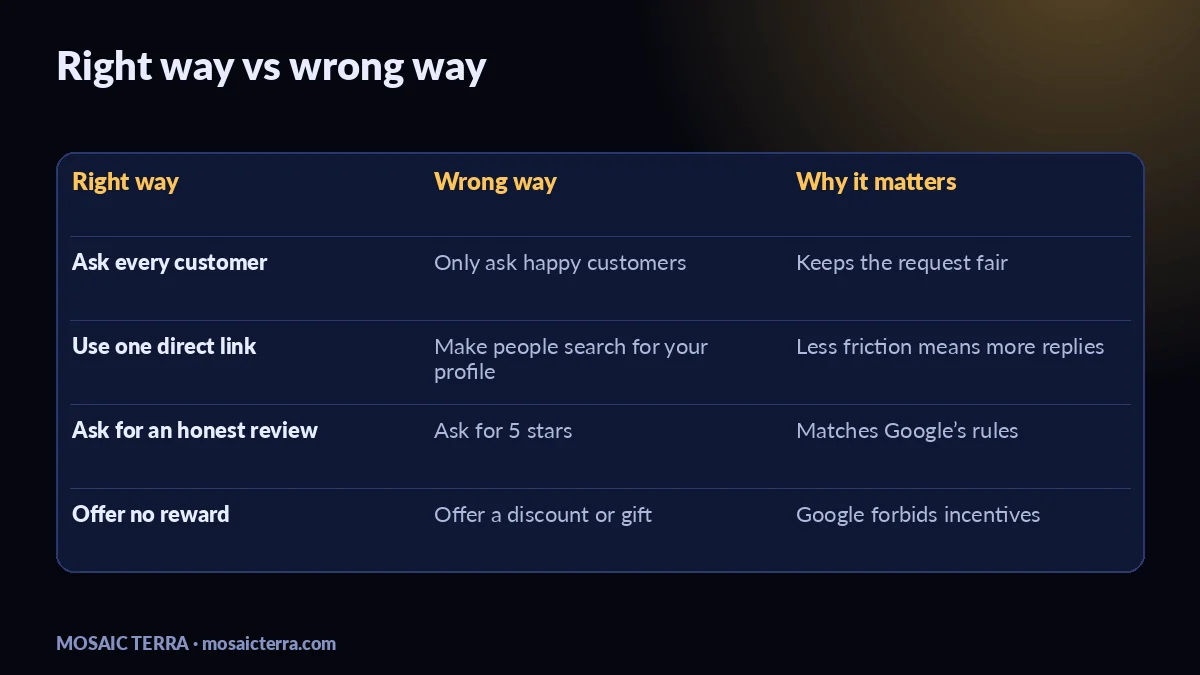
Google wants reviews to reflect real customer experiences. In its review policies, Google says you should not offer incentives, ask only for positive reviews, or bulk up your ratings with fake or copied feedback. You can read the policy on Google’s review policy page. That means the right way is to ask everyone, keep the request neutral, and let the customer decide whether to leave a review.
A good rule of thumb is this: do not say “leave us 5 stars.” Say “If you were happy with the service, we’d be grateful for an honest review.” That keeps the ask polite and compliant.
What Google forbids
- Offering discounts, freebies or prizes in exchange for reviews.
- Asking only satisfied customers to review you.
- Writing reviews for yourself, or getting staff to do it.
- Using copied, fake or recycled reviews.
How to ask for a review politely
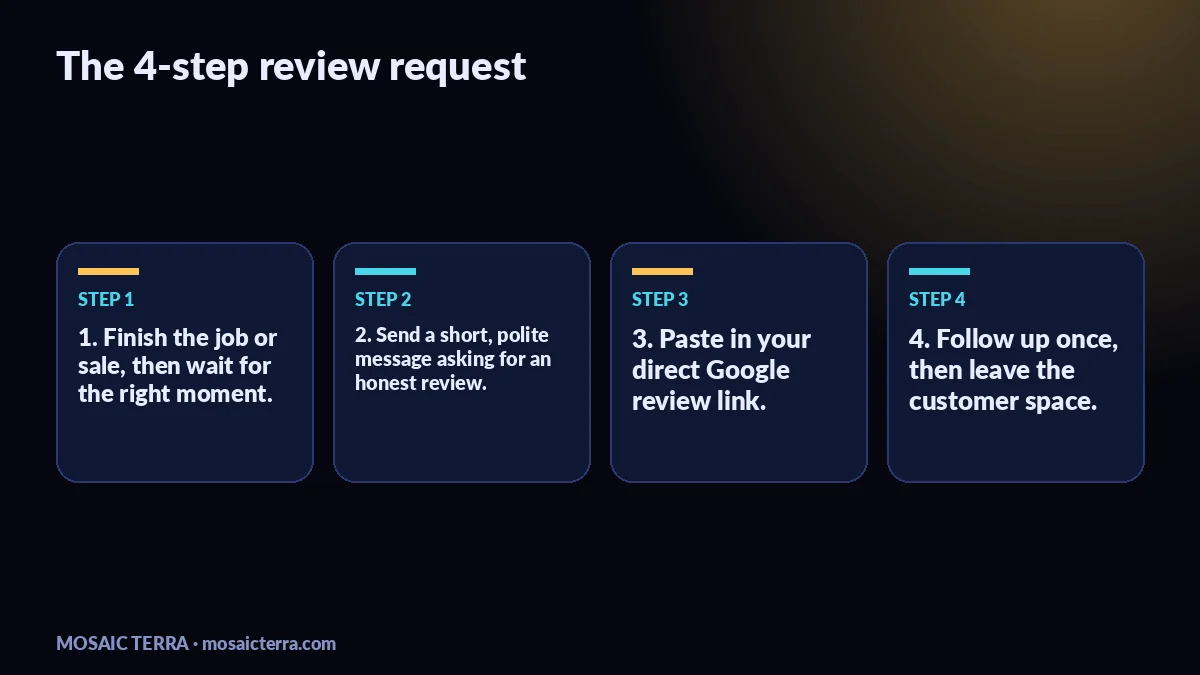
The best request is short, personal and specific. Send it soon after the customer has had a good experience, while the interaction is still fresh. Keep it friendly and make it easy to act on. A simple message works better than a long sales pitch.
A message you can copy
Thanks again for choosing us today. If you’ve got a moment, we’d really appreciate an honest Google review. It helps other local customers find us. Here’s the link: [your review link].
If you want a ready-made website structure that makes this easier, our Your Website, Done For You package can include clear calls to action and a simple way to point customers to your review page. You can also see our full range at our offers.
How to share your Google review link
For most businesses, the easiest method is to copy the review link from your Google Business Profile and paste it into an email, text message or WhatsApp reply. Google’s help pages explain how Business Profile owners can manage reviews and use the tools in their account; see Google Business Profile help. The key is to remove friction: one click should take the customer to the review form.
Use the same link everywhere: after a completed service, on a thank-you page, in follow-up emails and in your customer message templates. If you run lead follow-up in the background, our shop has practical digital tools you can browse when you want a DIY shortcut.
Simple places to put the link
- Thank-you emails after a sale or booking.
- SMS or WhatsApp after the job is complete.
- A QR code on receipts, flyers or the counter.
- A short link on your website contact page.
Common mistakes when trying to get google reviews
Most problems come from trying to make the process too clever. Don’t gate reviews by asking unhappy customers to email you privately while sending happy customers to Google. Don’t chase speed with bulk messages that feel robotic. And don’t hide your ask in tiny text where nobody will notice it. Review requests work best when they feel like part of good customer service.
Another mistake is making the process too hard. If customers have to search for your business name, sign in, and hunt for the right page, many will stop. A direct review link solves that.
When to get help with the setup
If you are busy, we can help you make the whole process cleaner: a better website, clearer review prompts and a simple system for follow-up. That is especially useful if your website needs work first, because your homepage, contact page and thank-you messages all affect whether people take action. If you want a done-for-you start, see Your Website, Done For You or ask for a custom plan through a quote.
We also cover the wider local setup in Google Business Profile in 15 minutes: local business guide and the website side in One page website sole trader: how to get found locally. If you want faster customer replies, AI receptionist for small businesses is a useful next read.
Prefer it done for you?
Websites from £449 one-off, an AI Receptionist for £49/month, AI agents from £89/month, or your complete AI world from £899.
Frequently asked questions
Is it okay to ask customers for Google reviews?
Yes. Ask politely, keep the request neutral and do not offer anything in return.
Should I ask every customer for a review?
Yes, if they had the same service. Don’t only ask happy customers, because that can break Google’s rules.
What is the easiest way to get a review link?
Copy the review link from your Google Business Profile and send it in a message, email or QR code.
Can I offer a discount for a review?
No. Google forbids incentives, prizes and other rewards for reviews.
Sources
Prices on this page are Mosaic Terra's own prices in GBP. Third-party information was checked on 10 November 2026; always confirm current details on the official pages.