

Guide · 29 October 2026 · 7 min read
7 n8n automations every small business can use

n8n is an automation platform that connects the tools you already use, such as email, forms, spreadsheets, calendars and messaging, and makes them work together without you copying and pasting. You can use n8n's cloud service or host it yourself, and you build workflows visually by connecting blocks called nodes. We run our own business on it. Here are seven automations that save small businesses real hours every week.
Before you start
If you are new to n8n, the official "Build your first workflow" tutorial takes about half an hour and teaches the basics: a trigger (what starts the workflow), actions (what happens) and connections between them. Three rules we follow for every workflow:
- Start in test mode. Send everything to yourself first.
- Keep secrets in credentials. API keys and passwords go in n8n's credential store, never inside a workflow or a chat.
- Keep a human approval step for anything that sends messages to customers or publishes content, at least until you trust it.
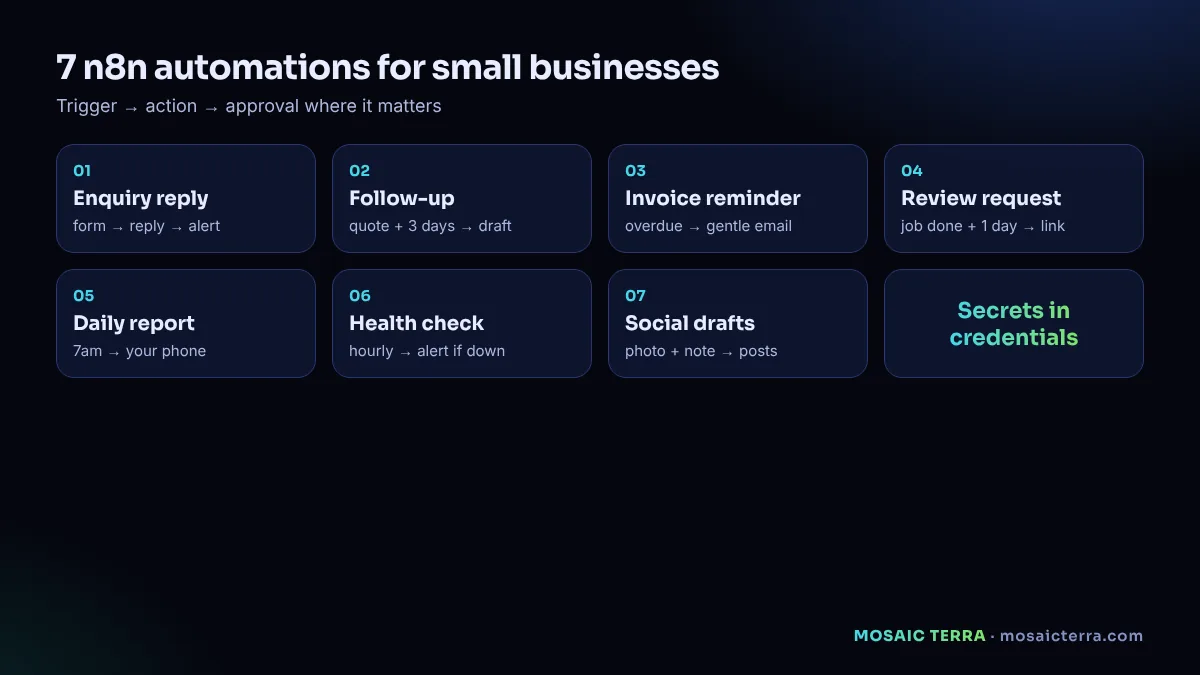
1. Instant enquiry reply
What it does: when someone submits your website form, it sends them a friendly confirmation straight away, alerts you on your phone, and adds the enquiry to a spreadsheet or CRM.
Nodes: Webhook or form trigger → Gmail/Outlook (send reply) → Telegram or Slack (alert) → Google Sheets (log).
Upgrade: add an AI step that drafts a tailored reply for your approval instead of a generic confirmation. That is the core of an AI receptionist.
2. Polite follow-up
What it does: if a quote has been sent and the customer has not replied after a few days, it drafts a short follow-up for you to approve.
Nodes: Schedule trigger (daily) → Google Sheets (find quotes older than 3 days without reply) → AI or template (draft) → approval message → Gmail (send).
Why it matters: many enquiries go quiet simply because people get busy. A friendly reminder brings a share of them back.
3. Invoice reminders
What it does: checks your accounting tool or invoice spreadsheet each morning and sends gentle reminders for overdue invoices, with a stronger tone after a set number of days.
Nodes: Schedule trigger → your accounting app's node or Google Sheets → IF (days overdue) → Gmail.
Tip: keep the tone friendly and include the payment link. Escalations should come from you personally.
4. Review requests
What it does: a day after a job is marked complete, it emails the customer a thank-you with a direct link to your Google review page.
Nodes: Trigger from your job list (sheet row updated) → Wait (1 day) → Gmail.
Important: ask every customer, not just the happy ones you choose, and never offer rewards for positive reviews or write reviews yourself. Honest reviews are the only kind worth having.
5. Daily business report on your phone
What it does: every morning at 7am it collects yesterday's numbers (enquiries, bookings, sales, website visits, overdue invoices) and sends you a short summary.
Nodes: Schedule trigger → several data sources (forms, Stripe, analytics, sheets) → Code or Set node to format → Telegram, WhatsApp or email.
Why it matters: you see problems the same morning, not at the end of the month.
6. Website and backup health check
What it does: checks every hour that your website responds, that your contact form works and that last night's backup ran, and alerts you only if something is wrong.
Nodes: Schedule trigger → HTTP Request (your homepage and form endpoint) → IF (status not OK) → alert.
Tip: pair it with our 10-minute speed check once a month.
7. Social media drafts from your news
What it does: when you add a photo and a one-line note to a folder or a chat, it drafts posts for your channels in your tone and sends them to you for approval or to your scheduling tool as drafts.
Nodes: Google Drive or Telegram trigger → AI (draft posts) → approval → your scheduling tool.
Why it matters: consistency beats perfection. Turning one real moment from your day into a post takes seconds instead of half an hour.
Summary table
| Automation | Saves | Human approval? |
|---|---|---|
| Instant enquiry reply | Missed and late replies | Optional for confirmations; yes for tailored replies |
| Polite follow-up | Forgotten quotes | Yes |
| Invoice reminders | Chasing payments | Recommended for escalations |
| Review requests | Forgetting to ask | Not usually |
| Daily report | Checking five dashboards | No (internal) |
| Health check | Discovering problems late | No (internal) |
| Social drafts | Writing posts from scratch | Yes |
Data protection and email rules
Most of these workflows handle personal data, so treat them like any other business process: collect only what you need, keep it secure and explain it in your privacy notice. Replies to people who contacted you are normal customer service. Sending marketing emails to people who have not asked to hear from you is different and has specific rules; the ICO's PECR guidance explains them. Always include an easy way to opt out of marketing.
Common mistakes
- Automating a messy process. Fix the process first, then automate it.
- No error alerts. Add an error workflow so you hear when something fails.
- Too many workflows at once. Build one, run it for a week, then build the next.
- Sharing credentials. Use n8n credentials and give each tool the minimum access it needs.
Build it yourself or have it built for you
If you enjoy tinkering, n8n is a great tool and the documentation is excellent. If you would rather spend your time on customers, our Hire AI plans set up these workflows as AI agents for you, with your approval rules and a daily report on your phone, from £89/month. Read AI agents for small businesses for what that looks like in practice.
Your first week with n8n
- Day 1: set up n8n (cloud or self-hosted), connect your email and a Google Sheet, and complete the official first-workflow tutorial.
- Day 2: build the instant enquiry reply, sending only to yourself.
- Day 3: add the alert to your phone and the log to your sheet. Test with five fake enquiries.
- Day 4: switch it on for real enquiries, with replies going to customers only after you approve.
- Day 5: add an error workflow so you hear if anything fails.
- Days 6–7: review what happened, adjust the wording, then plan your second automation.
Cloud or self-hosted?
n8n's cloud service is the quickest way to start: no server to manage, automatic updates and support. Self-hosting gives you more control and can be cheaper at scale, but you become responsible for updates, backups and security, including applying security releases promptly when they are announced. If you self-host, pin a specific version, keep regular backups of the data volume and test updates before applying them to the workflows your business depends on.
Keeping automations healthy
Automations are not "set and forget". Once a month, check that each workflow still runs, that credentials have not expired and that the messages still sound right. Remove workflows you no longer use. Keep a short document listing what each workflow does and who to contact if it breaks, so someone else can understand it if you are away.
Data protection basics for automations
Automations move personal data, such as names, emails and phone numbers, between tools. Keep it simple and lawful: only collect what you need, send marketing only to people who have agreed where the rules require it, store data in tools you trust and delete what you no longer need. Restrict who can log in to n8n, use separate credentials with the minimum permissions for each service and never paste passwords or API keys into workflow notes or shared documents.
When to bring in help
Many owners build their first two or three automations themselves. Consider help when workflows start touching money, contracts or many customers at once, or when you need AI steps that write to customers. A specialist can design approvals, error handling and logging properly so the automations stay reliable as you grow.
Whichever route you take, start with one workflow that saves time every single day. Success with a small automation builds the confidence and the habits you need for bigger ones.
Let AI agents run the busywork
Enquiry replies, follow-ups, reports and more, set up for you with your approval rules. From £89/month.
Frequently asked questions
What is n8n?
An automation platform that connects apps like email, forms, spreadsheets and messaging into workflows, available as a cloud service or self-hosted.
Is n8n suitable for small businesses?
Yes. Simple workflows such as enquiry replies, reminders and daily reports can be built without coding.
Where should I store API keys in n8n?
In n8n's credential store, never inside the workflow itself or in chat messages.
Can n8n send marketing emails?
It can send emails, but marketing to people who have not opted in has specific rules under PECR. Replies to enquiries are normal customer service.
Can Mosaic Terra build these automations for me?
Yes. Our Hire AI plans set them up as AI agents with your approval rules, from £89/month.
Sources
- n8n documentation
- n8n: Build your first workflow
- ICO: How to comply with the PECR electronic mail marketing rules
Prices on this page are Mosaic Terra's own prices in GBP. Third-party information was checked on 29 October 2026; always confirm current details on the official pages.