
Guide · 16 November 2026 · 4 min read
Reply to Google Reviews: good and bad
If you want to reply to Google reviews without sounding stiff, the rule is simple: thank the happy reviewer, stay calm with the unhappy one, and keep personal details out of the public thread. A short, honest reply is usually better than a long defence. In this guide, we show you plain-English templates, the best tone to use, and when to move a complaint into private messages or email.
How to reply to Google reviews well
Google’s own guidance says you can respond to reviews from your Business Profile, and that replies are visible to customers. That means every response is part of your front window, not a private note. We like to write as the business, not as a person who feels attacked. Keep it human, thank people for the time they took, and avoid arguing point by point in public. See Google’s help page on responding to reviews for the official steps.
A good reply has three parts
- Thank them for leaving the review.
- Address the point they raised, without overexplaining.
- Invite a next step if needed, such as a call or email.
Useful tone rules
- Sound calm, not clever.
- Keep sentences short.
- Do not copy-and-paste the same reply every time.
- Do not mention private customer details in public.
Templates for good and bad reviews
Here are plain templates you can adapt. If you run regular local enquiries, our AI Receptionist can help you answer common questions quickly while you still approve how it replies. You can also see our wider package options on our offers page.
For a positive review
“Thanks for your lovely review, [Name]. We’re glad you were happy with [service/product]. We really appreciate your support and hope to see you again soon.”
For a neutral review
“Thanks for taking the time to leave feedback. We’re pleased we could help and we’ve noted your comment about [detail]. We’ll keep working to improve.”
For a negative review
“Thanks for letting us know. We’re sorry to hear your experience was not what you expected. We’d like to look into this properly, so please email us at [address] or call [number] so we can help.”
If you want a ready-made system for replies, reviews and follow-ups, our own blog guide AI receptionist for small businesses: reply to every lead in 5 minutes shows how we handle customer messages with automation. For a broader local marketing view, Google Business Profile in 15 minutes: local business guide is a useful companion read.
When to reply, and how fast
Replying quickly shows attention, but speed should not mean sloppy. Aim to respond within one or two working days, and faster if the review is negative or urgent. If the issue needs checking, send a short public reply first, then follow up privately. That keeps the thread polite while showing other readers that you take feedback seriously. Google also explains that reviews should follow its content rules, which is why it can be worth reporting spam, fake content or abuse through its review tools; see the Google policy guidance for reviews.
Best practice timing
- Same day for a simple thank-you if you can.
- Within 1–2 working days for most reviews.
- As soon as practical for a complaint that could affect trust.
Common mistakes to avoid
- Arguing with the reviewer.
- Using legal threats in the public reply.
- Asking them to delete the review straight away.
- Sharing booking details, order history or other personal data.
- Writing a reply so vague it sounds fake.
If your replies touch on names, booking history, addresses or health details, remember that customer data still matters. The ICO’s plain-English UK GDPR guidance is useful if you are unsure what should stay private.
A simple process for busy owners
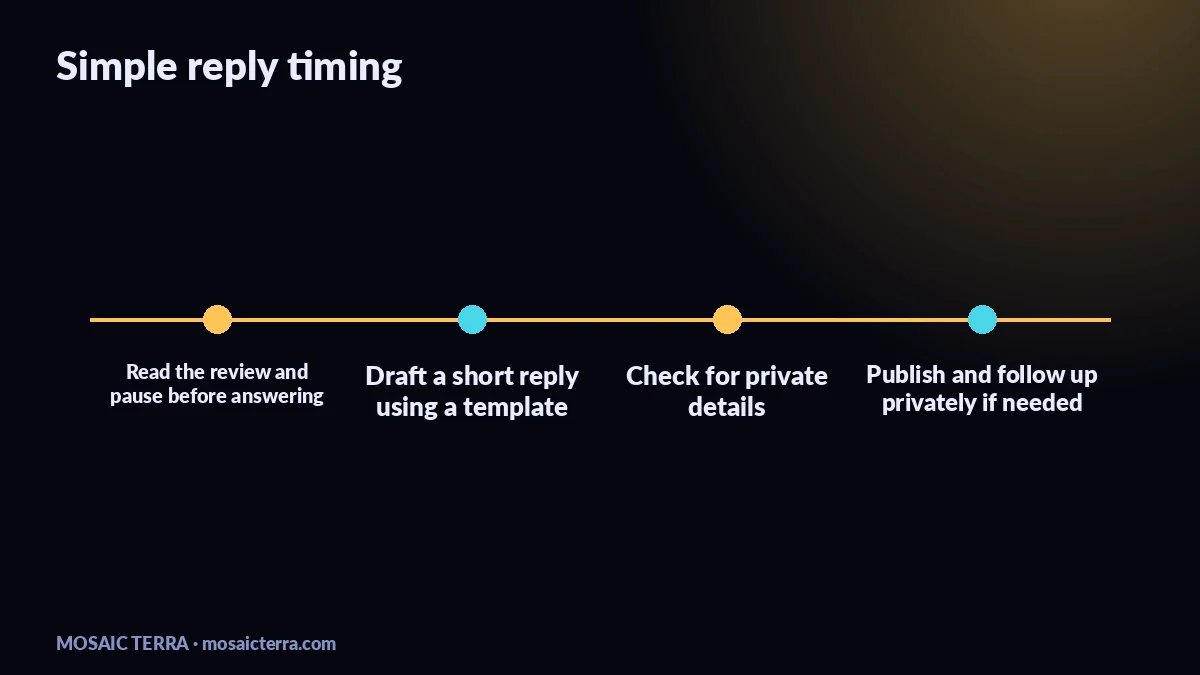
- Read the review once, then wait a minute before typing.
- Decide whether it is praise, neutral feedback or a complaint.
- Use a short template, then edit one line so it feels real.
- Check for private details before publishing.
- Save a final copy in your notes so future replies stay consistent.
A simple shortcut if you like to keep templates on paper: our shop at mosaicterra.etsy.com has digital downloads and templates you can adapt for customer admin.
When to get help
If reviews are becoming a daily task, or if you keep missing customer messages, it may be time to put a system in place. We build websites and AI tools for UK small businesses, including tools that help you capture enquiries and reply faster without sounding robotic. If that sounds useful, take a look at requesting a quote or compare everything on our offers page.
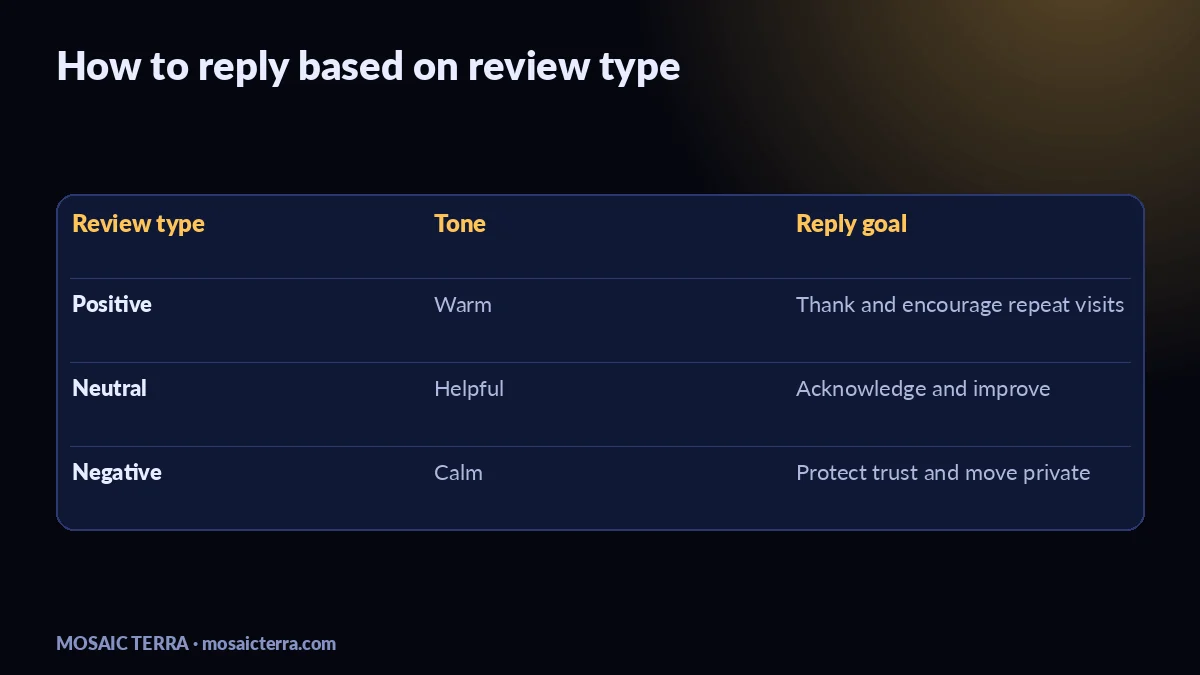
| Review type | Best tone | Goal |
|---|---|---|
| 5-star praise | Warm and brief | Thank them and encourage repeat visits |
| Mixed feedback | Calm and helpful | Acknowledge the issue and note improvement |
| 1-star complaint | Polite and careful | Show you care and move to private contact |
Use this guide as your starting point, then make each reply sound like your business. Clear, honest and steady will always beat clever.
Prefer it done for you?
Websites from £449 one-off, an AI Receptionist for £49/month, AI agents from £89/month, or your complete AI world from £899.
Frequently asked questions
Should I reply to every Google review?
Yes, if you can. A short reply helps show you are active, attentive and human.
What should I say in a bad Google review reply?
Thank them, apologise if needed, avoid arguing, and invite them to contact you privately.
Can I delete a bad review myself?
No. You can report reviews that break policy, but you cannot simply remove a review from your side.
How long should my reply be?
Usually two or three short sentences is enough.
Sources
Prices on this page are Mosaic Terra's own prices in GBP. Third-party information was checked on 16 November 2026; always confirm current details on the official pages.