
Guide · 11 November 2026 · 5 min read
How to automate invoice reminders without annoying customers
If you want to automate invoice reminders without upsetting good customers, the trick is to keep the tone polite, the timing sensible and the message useful. Start with a friendly nudge before the due date, then follow up in short steps after it passes. If you already use n8n, you can build a simple workflow that checks invoice dates, sends the right email and stops as soon as payment lands.
What a polite reminder sequence looks like
A good reminder flow should feel like a helping hand, not a threat. We usually suggest four touchpoints: a polite heads-up a few days before the due date, a reminder on the day, a short follow-up a few days later and a firmer note only if the invoice is still unpaid. For B2B work, this sits comfortably alongside the government advice on late commercial payments and debt recovery, which explains that businesses can charge interest and debt recovery costs in some cases. Most small firms never need to go that far.
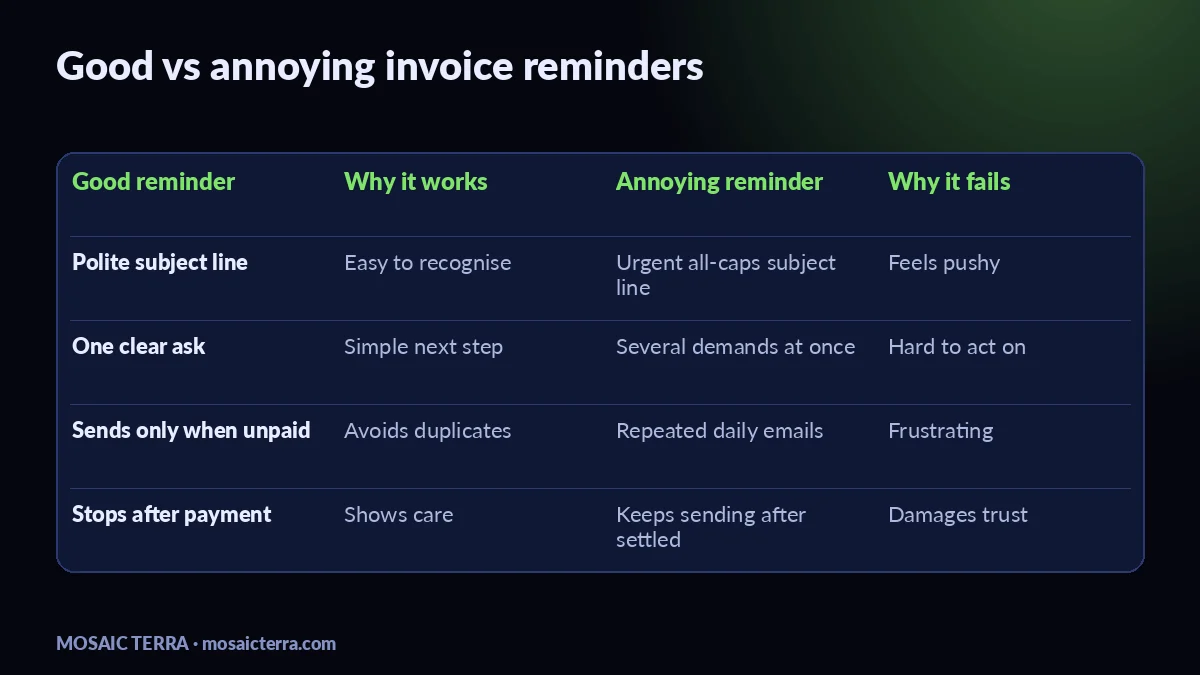
The tone matters more than the template. Use the invoice number, amount and due date, and keep the subject line plain, such as “Reminder: invoice 42 due Friday”. Avoid blame, avoid all-caps and avoid sending the same message every day.
Automate invoice reminders with the right timing
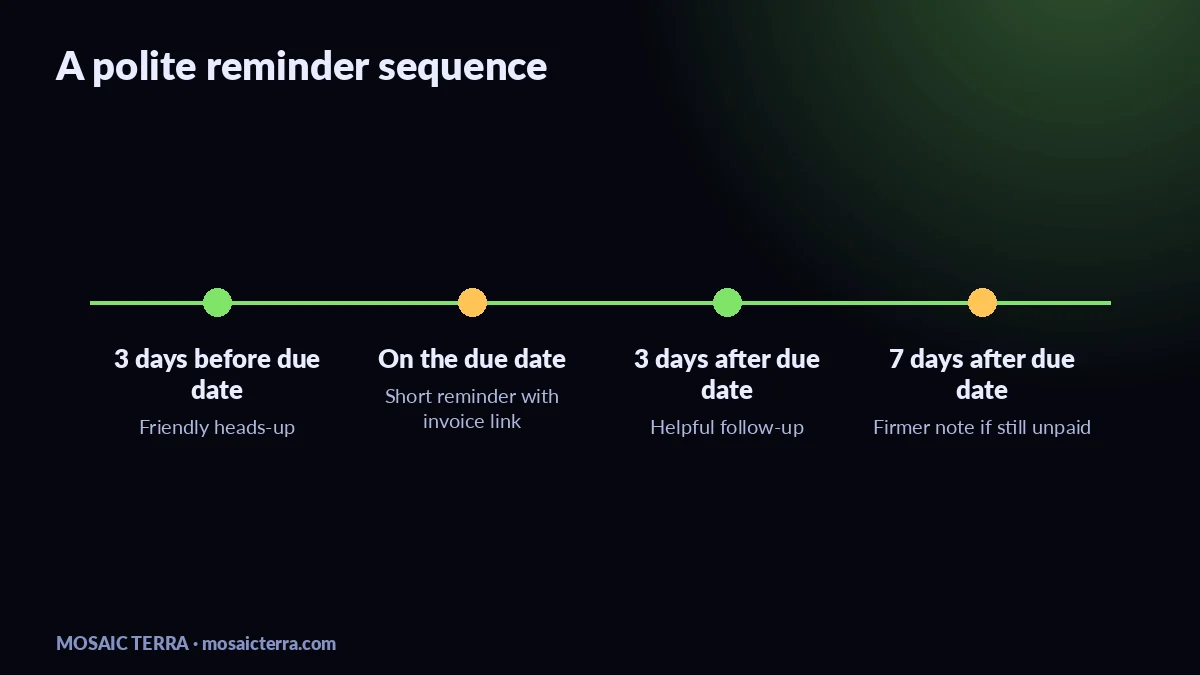
Timing is where automation helps most. A simple sequence might be: 3 days before due date, on the due date, 3 days after, then 7 days after. If the customer is a regular, you can space it out more gently. If they are a new customer, you may want a little more structure. The point is to keep the reminders predictable, so the customer never feels ambushed.
| Stage | When | Goal |
|---|---|---|
| Friendly heads-up | 3 days before due date | Help the customer plan payment |
| Due date reminder | On the due date | Make the invoice easy to find |
| Short follow-up | 3 days after due date | Ask if they need the invoice resent |
| Firmer note | 7 days after due date | Request a payment update |
If you send email reminders, make sure you are not crossing into unwanted marketing. The ICO’s direct marketing guidance is a useful reminder that business messages still need to be handled carefully, especially if you are mixing payment follow-ups with promotional emails. Keep invoice messages separate from newsletters.
A simple n8n example for invoice follow-ups
We use n8n for practical automations like this because it is flexible and easy to connect to the tools a small business already uses. The workflow can be simple: trigger on a schedule, check your invoice list, filter out anything already paid, choose the correct reminder stage and send the email. n8n’s own documentation is a good place to start if you want to build your first workflow.
A basic workflow
- Pull invoices from your accounting system, spreadsheet or CRM.
- Check the due date and payment status.
- Send the next reminder only if the invoice is still unpaid.
- Stop the flow once payment is marked as received.
- Write the reminder date back to your system so you do not double-send.
If you want a ready-made admin shortcut, our AI Receptionist can help with customer messages, booking requests and daily summaries, while your invoice flow stays separate and professional. If you need help mapping the whole process, take a look at our quote page or the full offers list.
Common mistakes that make reminders annoying
The biggest mistake is sending too many messages too quickly. The second is writing like a debt collector when the invoice is only a few days late. Other common problems are vague subject lines, no invoice number, no payment link and no clear contact person. Another mistake is forgetting to stop the workflow after payment, which can turn a helpful reminder into a nuisance.
For a wider automation setup, our guide to 7 n8n automations every small business can use shows how we think about simple, useful workflows. If you also want your website to help customers pay on time, our guide to How much does a website cost in the UK in 2026? is a good next read when you are planning a better site and admin stack together.
If you are doing this yourself, a reusable invoice template can save time. The closest fit in our shop is this Invoice Template Editable PDF, Mobile Mechanic Invoice, Receipt, Quote, Price List, Booking Form, Client Records if you want a ready-made starting point for cleaner invoicing.
When to ask for help
If you only send a handful of invoices each month, a spreadsheet and a few scheduled emails may be enough. If you are handling repeat customers, different payment terms or lots of unpaid invoices, automation quickly becomes worth it. That is especially true if you want the reminders to feel personal without copying and pasting the same message all day.
We can build polite reminder flows, connect them to your site and keep the wording human. If you want a broader setup, our AI Receptionist is a simple place to start, and our AI agents for small businesses guide shows what a fuller setup can look like. For a customer-facing angle, see AI receptionist for small businesses.
Check the official pages before you launch anything, because platform features and pricing can change.
FAQ
How often should I send invoice reminders?
Usually four touchpoints is enough: before the due date, on the due date, a few days after and a final follow-up later if needed.
Should invoice reminders sound formal?
They should sound clear and polite, not cold. Friendly wording usually works better than a stern tone.
Can I automate invoice reminders in n8n?
Yes. You can build a flow that checks unpaid invoices, sends the next reminder and stops once payment is recorded.
Do I need a different reminder for regular customers?
Often yes. Regular customers may prefer a softer tone and slightly longer gaps between reminders.
Prefer it done for you?
Websites from £449 one-off, an AI Receptionist for £49/month, AI agents from £89/month, or your complete AI world from £899.
Frequently asked questions
How often should I send invoice reminders?
Usually four touchpoints is enough: before the due date, on the due date, a few days after and a final follow-up later if needed.
Should invoice reminders sound formal?
They should sound clear and polite, not cold. Friendly wording usually works better than a stern tone.
Can I automate invoice reminders in n8n?
Yes. You can build a flow that checks unpaid invoices, sends the next reminder and stops once payment is recorded.
Do I need a different reminder for regular customers?
Often yes. Regular customers may prefer a softer tone and slightly longer gaps between reminders.
Sources
- Gov.uk: late commercial payments and debt recovery
- ICO: direct marketing and PECR guidance
- n8n documentation
Prices on this page are Mosaic Terra's own prices in GBP. Third-party information was checked on 11 November 2026; always confirm current details on the official pages.