
Guide · 6 November 2026 · 5 min read
Website checklist before Christmas: 12 practical checks
If you only do one thing this week, use this website checklist to make sure your site is ready for Christmas. We build websites for small UK businesses, and the same basics come up again and again: clear festive hours, a fast mobile site, working contact details, and a simple way for people to buy or book. This guide keeps it practical, so you can fix the most important bits tonight.
Start with the pages customers see first
Before you touch design or copy, check the pages that matter most: home, services, contact, opening hours and any booking or voucher page. If a visitor lands on your site from Google, they should know in seconds what you do, when you are open and how to get in touch. If you want to see how we structure simple, clear sites for small businesses, take a look at Your Website, Done For You or browse all our offers.
- 1. Update festive opening hours. Put Christmas hours on the homepage, contact page and footer. If you change them later, update them everywhere.
- 2. Make the phone number clickable. On mobile, people should be able to tap and call without searching.
- 3. Check the contact form. Send a test message and make sure replies are going to the right inbox.
- 4. Add an out-of-office message if needed. If you will be closed, tell people when they can expect a reply.
Check speed, mobile layout and basic trust signals
Shoppers are impatient in December, especially on phones. A slow page or a broken layout can cost you enquiries, so run a quick speed check and fix obvious issues first. Google’s SEO Starter Guide is a useful reminder that clear pages and good structure help both users and search engines, while web.dev guidance on visual stability explains how to reduce layout shift when your page loads. We also recommend testing on your own phone, not just on desktop.
Six quick checks for speed and trust
- 5. Compress large images. Keep hero images and banners light enough to load quickly.
- 6. Remove anything that blocks the page. Too many pop-ups, scripts or heavy sliders can slow things down.
- 7. Test the site on mobile. Buttons should be easy to tap and text should be readable without zooming.
- 8. Show real contact details. Add your business name, phone number, email and area served in one clear place.
- 9. Check your social proof. If you display reviews, make sure they are current and point to real profiles.
- 10. Keep key actions above the fold. Booking, calling and buying should be obvious without scrolling.
If you are not sure where to start, our guide on website speed checks walks through the same sort of quick wins we use on client projects.
Christmas extras: cookies, vouchers and holiday messages
December is the right time to tidy the things that often get ignored the rest of the year. If you use analytics or advertising cookies, your banner and policy should still be accurate. If your site uses Google services, Google Business Profile help is also worth checking so your local business details stay in sync. If you are planning a gift offer, voucher or seasonal package, make that page easy to find from the homepage and navigation.
- 11. Review your cookie banner and policy. Make sure the wording matches the tools actually on your site.
- 12. Create or refresh a voucher page. Keep the offer simple, the price visible and the next step obvious.
For many local businesses, Christmas is also the time to automate replies and reduce admin. If that sounds useful, our guides on Christmas opening hours and answering customer messages automatically over Christmas show how we approach the same problem in a practical way. If you want a site that is ready to sell, ask questions and collect leads without extra faff, our website package is the quickest option.
Common mistakes to avoid
- Leaving festive hours in only one place. Update the website, Google Business Profile and social channels together.
- Hiding contact details. If a customer has to hunt for your number, they may leave.
- Using a homepage banner as the only Christmas update. Important info should also live on the pages people actually use.
- Forgetting to test forms and buttons. A broken enquiry form is an avoidable problem.
- Adding too many festive graphics. Keep the site clean and easy to use.
If you need help, we can build or tidy a small business site quickly. Start with Your Website, Done For You, or if you need broader support, contact us via our quote form.
Use this website checklist tonight
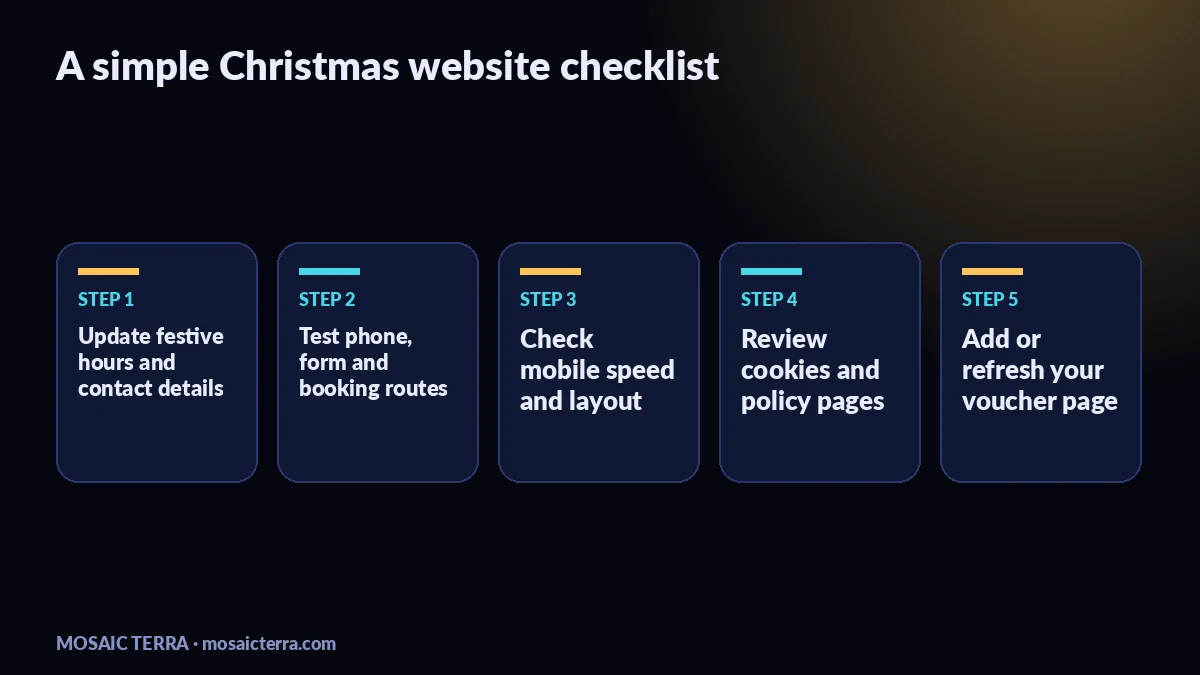
Work through the list in order: update your hours, test your contact route, check speed on mobile, review cookies, and make your voucher or Christmas offer easy to find. You do not need a full redesign to be ready for the season. You need a clear site that helps people act fast. If you want a better sense of what else could help your business online, see our guide to one page websites for sole traders and our article on AI agents for small businesses.
| Priority | What to check | Why it matters | Best place to fix it |
|---|---|---|---|
| High | Festive hours | Customers need to know when you are open | Homepage, contact page, footer |
| High | Contact details | People need a quick way to call or message | Header, contact page, footer |
| High | Mobile speed | Fast pages are easier to use on phones | Images, scripts, layout |
| Medium | Cookies and policy | Helps your site stay accurate and tidy | Banner, policy page |
| Medium | Voucher page | Makes seasonal buying easier | Navigation, homepage link |
| Check | Done? | Notes |
|---|---|---|
| Festive hours updated | ||
| Phone and form tested | ||
| Speed checked on mobile | ||
| Cookies reviewed | ||
| Voucher page ready |
Prefer it done for you?
Websites from £449 one-off, AI agents from £89/month, or your complete AI world from £899.
Frequently asked questions
What is the most important thing on a Christmas website checklist?
Clear opening hours, easy contact details and a fast mobile site are the basics most customers need first.
Should I update Google Business Profile as well as my website?
Yes. Keep your opening hours and key holiday info consistent wherever customers find you.
Do I need a full redesign before Christmas?
Usually not. Small fixes to content, speed and contact routes often make the biggest difference.
Where should I put Christmas opening hours?
Put them on your homepage, contact page, footer and any page where customers might check before visiting.
What should I do if I sell vouchers?
Make the voucher page easy to find, keep the offer simple and show the next step clearly.
Sources
Prices on this page are Mosaic Terra's own prices in GBP. Third-party information was checked on 6 November 2026; always confirm current details on the official pages.